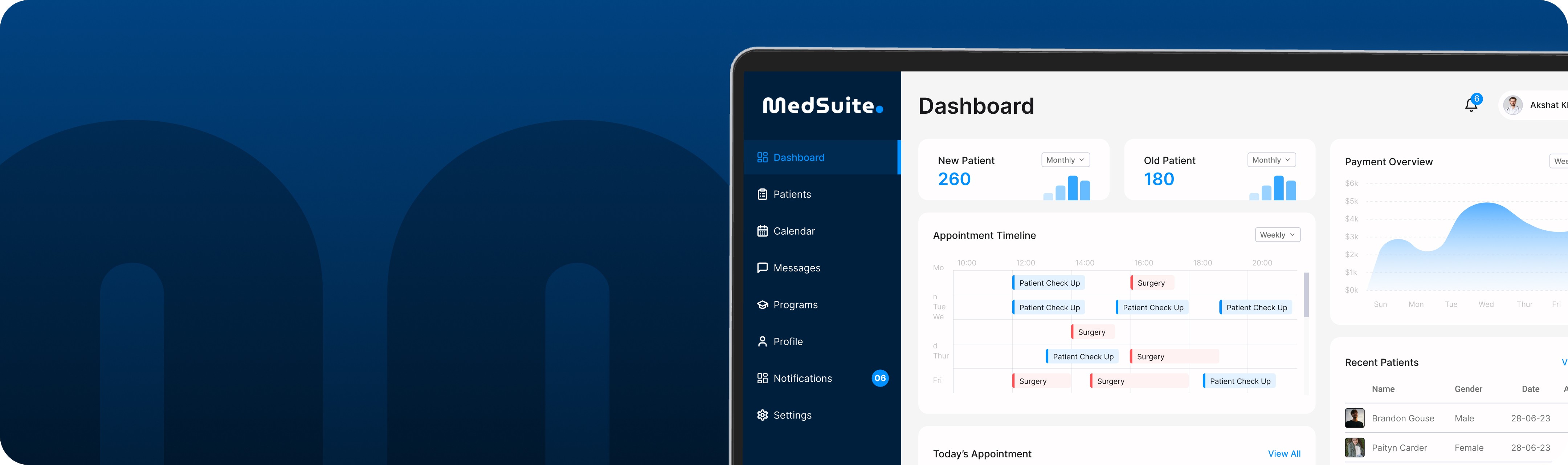
Medsuite – Transforming Medical Practice Efficiency
Designed By
Akshat Khare
Timeline
2 weeks
Read In
15 mins
Roles
Understanding the Problem
Doctors and clinic staff juggle multiple responsibilities: managing patient records, coordinating appointments, sending updates, and keeping track of programs. The tools available today are often overcomplicated or too generic, leading to mistakes, delays, and frustration.
Through stakeholder interviews and survey forms, we discovered:
Users struggled with patient search and filtering.
Scheduling was time-consuming with little visibility.
Communication with patients was scattered across different tools.
Most systems were not designed with the end-user in mind—especially under pressure.
Design Goals
Mission was to craft Medsuite—a clean, intuitive, and reliable workspace where medical professionals could:
Manage records with confidence
Get full visibility on appointments
Communicate seamlessly
Enroll and track medical programs
Stay informed and in control via notifications and settings
The design had to feel lightweight yet capable—trustworthy, calm, and efficient.
Wireframing & Information Architecture
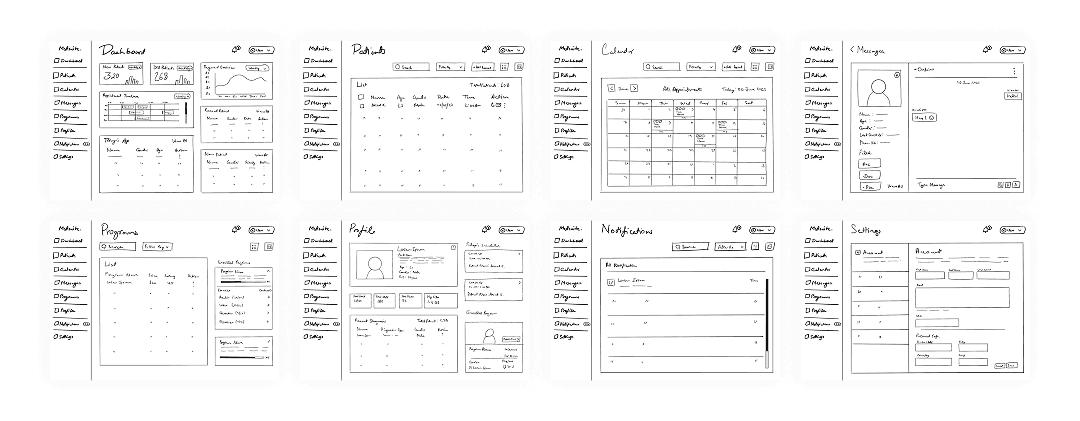
We began with low-fidelity wireframes, crafted using Procreate. The goal was to map out user flows clearly before visual design decisions were made.
Each screen focused on clarity, hierarchy, and reducing cognitive load. Key decisions included:
This early exploration helped us validate layout decisions and flow logic with stakeholders before high-fidelity design began.
Visual Design System
🎨
Primary Colors
Gradient from #194F89 to #0D1B2A (Trust Blue)
🔠
Typography
Roboto – modern, highly legible, and system-friendly |
📐
Layout
12-column grid, left nav structure, card-based sections for quick scanning
⚡
Tone & Feel
Calm, trustworthy, professional—designed to reduce cognitive load and support decision-making
Dashboard
What’s happening
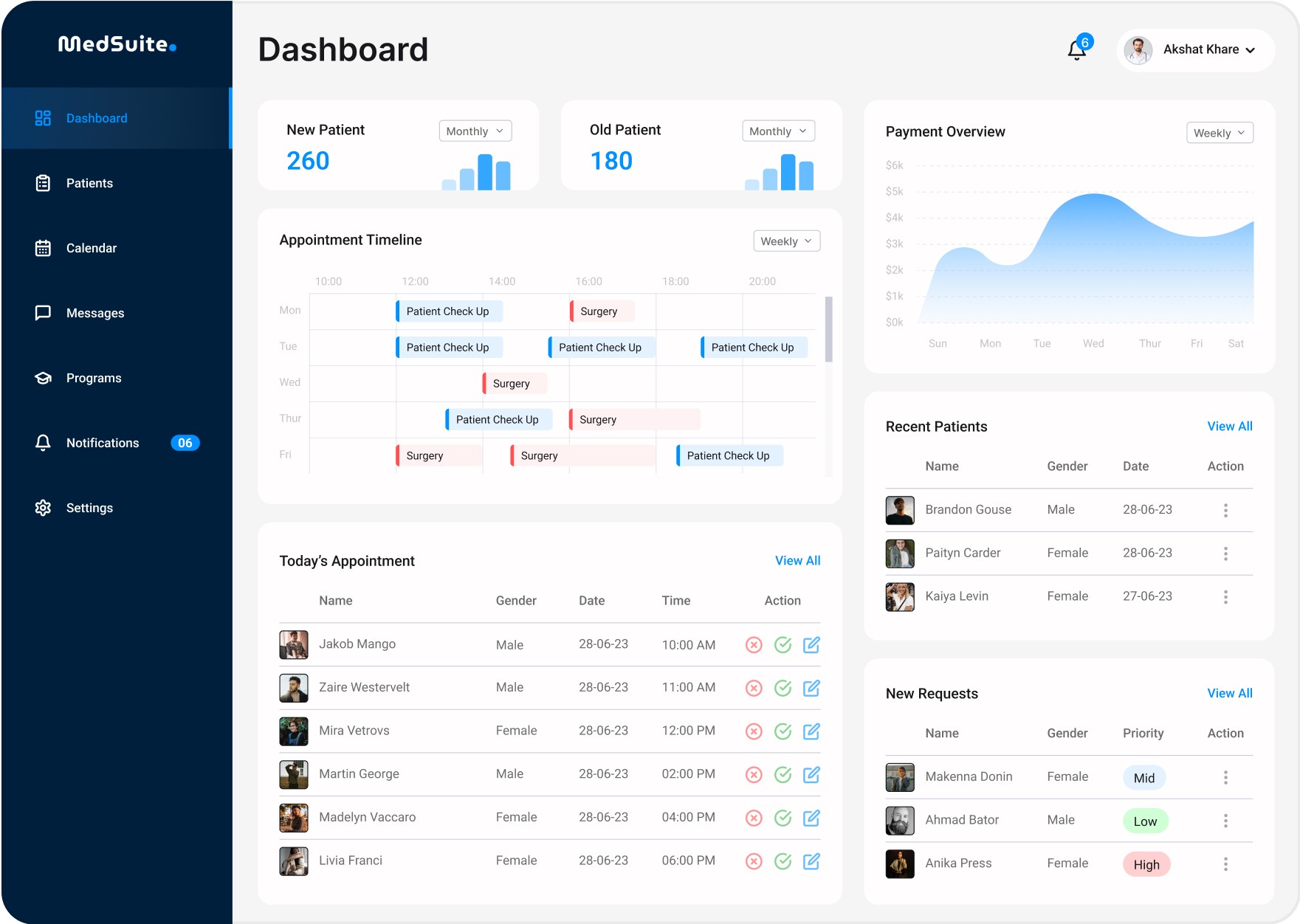
The Dashboard gives healthcare professionals a bird’s-eye view of their daily activity. It presents patient stats, appointments, and payment analytics at a glance.
What Healthcare Professionals can do here
Quickly scan today’s appointments and prepare accordingly
View patient inflow trends (new vs returning)
Track recent payments and financial trends
Access recently treated patient profiles for follow-up
Goal
To help medical professionals start their day informed and stay on top of crucial operations without digging through different tabs.
Patient List
What’s happening
A centralized list of all registered patients with tools to manage and access medical histories.
What Healthcare Professionals can do here
Search or filter patients by name, date, condition, etc.
View detailed patient profiles and medical records
Add new patient records effortlessly
Goal
To offer fast and efficient patient management—ensuring no record is ever lost and everything is just a click away.

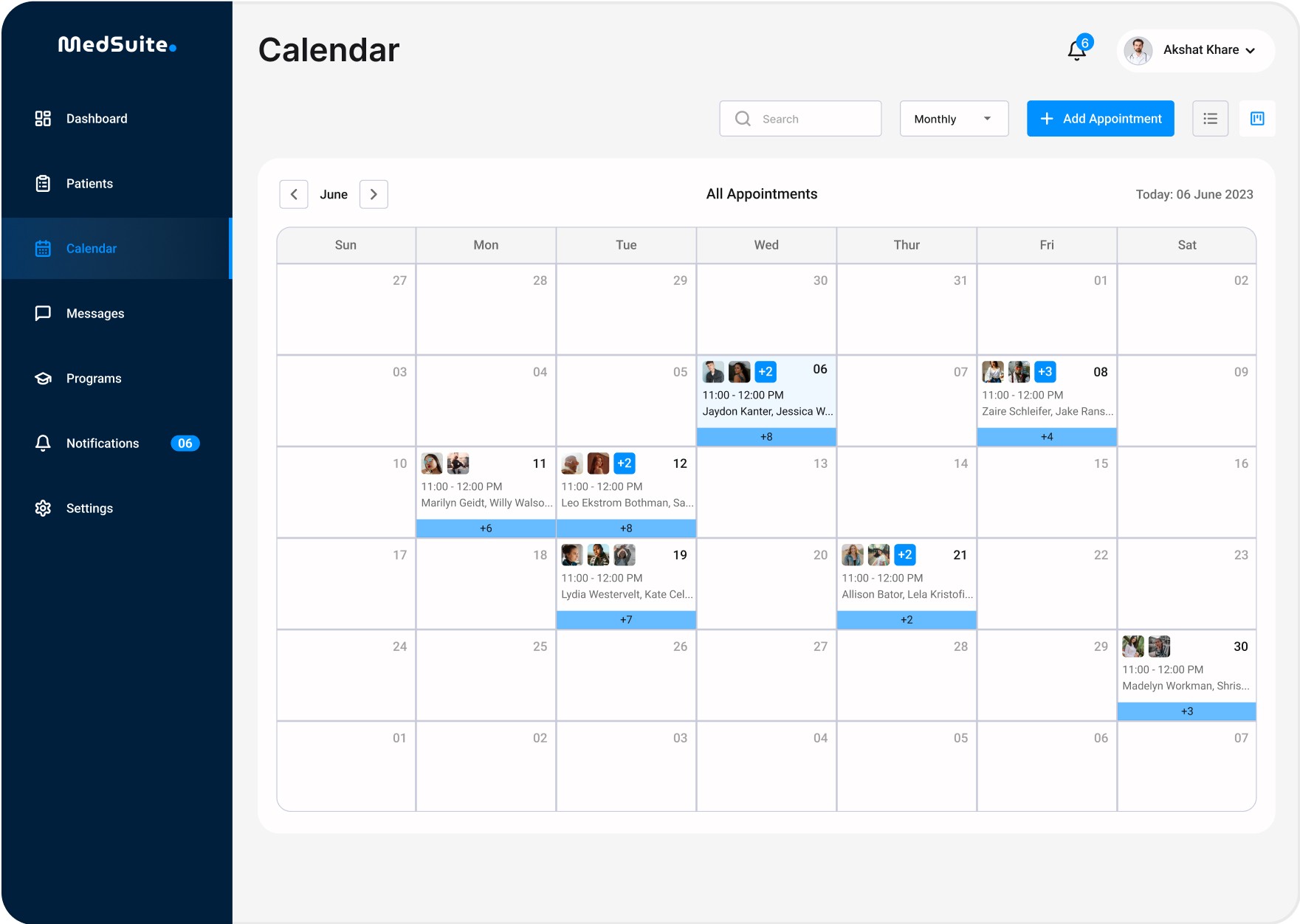
Calendar
What’s happening
A full-month calendar view highlighting key schedules, especially today’s appointments.
What Healthcare Professionals can do here
Track their daily, weekly, or monthly schedules
Add or modify entries in a couple of clicks
View appointments contextually with patient info popups
Goal
To give healthcare professionals full control over their time, ensuring fewer overlaps or missed slots.
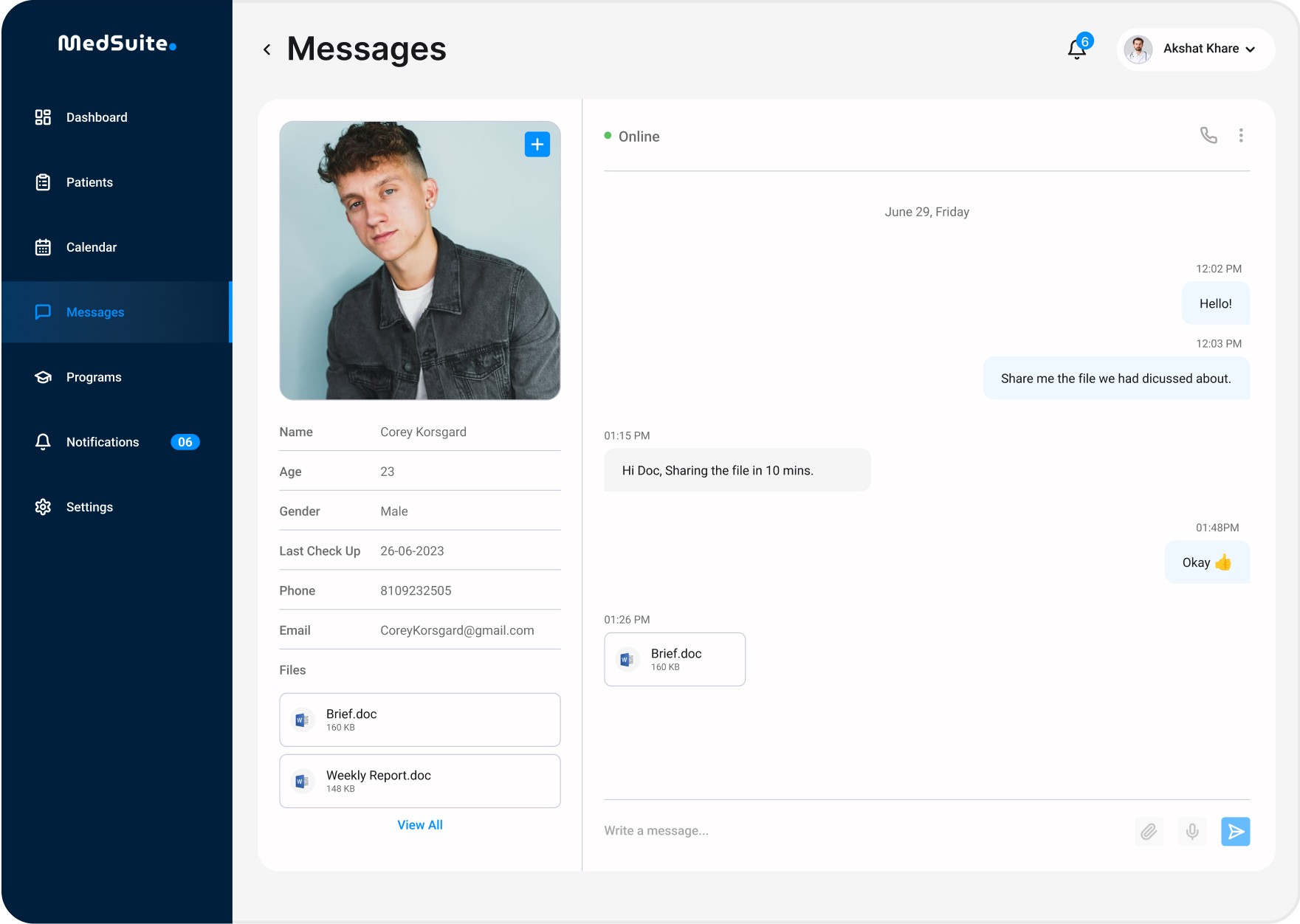
Messaging
What’s happening
A two-way or group messaging system built specifically for quick, clear medical communication.
What Healthcare Professionals can do here
Create group chats with patients
Share reports, files, and notes
Record and send voice messages or make audio calls
See shared medical assets in one panel
Goal
To facilitate direct communication without third-party platforms, enhancing confidentiality and patient engagement.
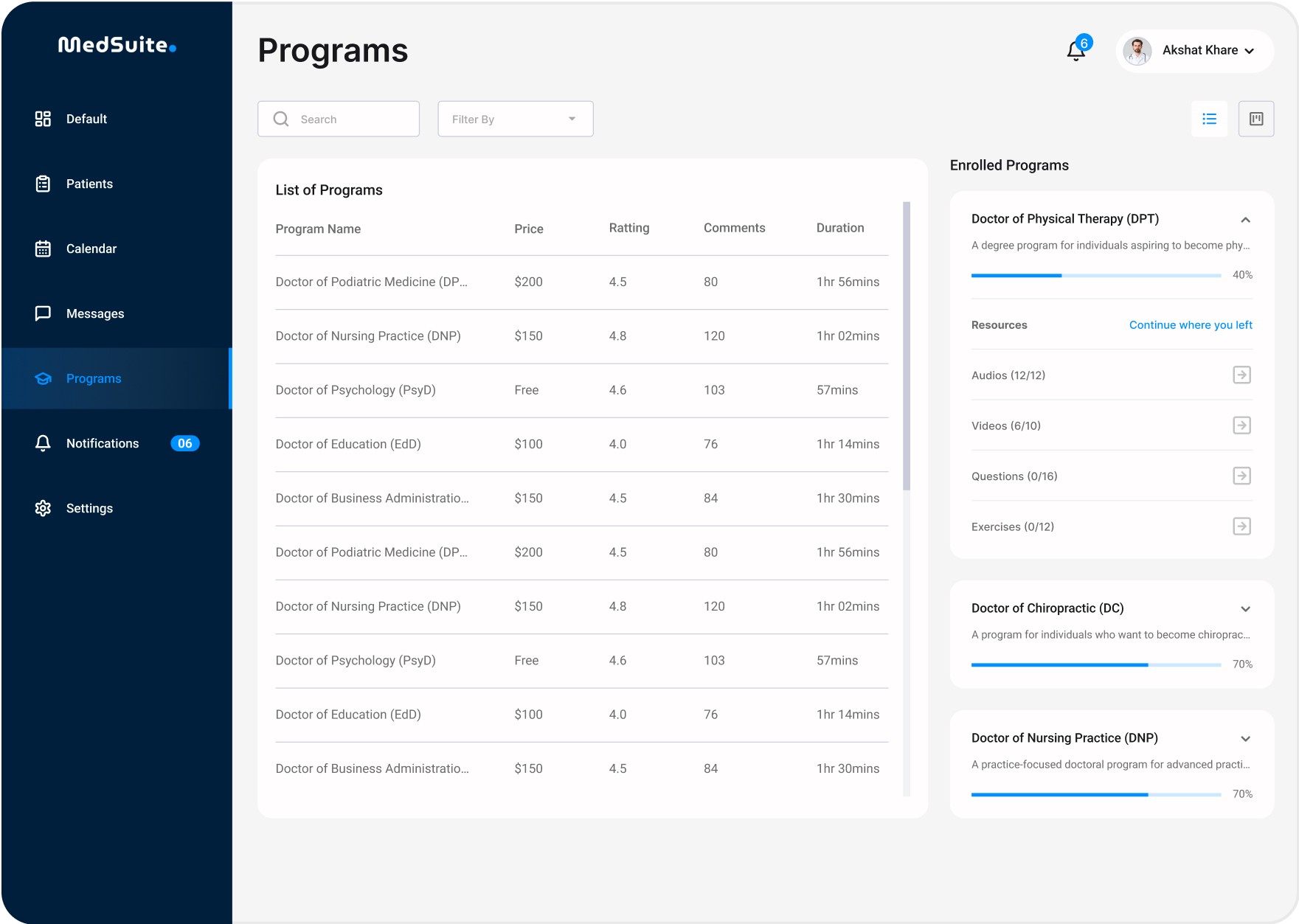
Program
What’s happening
A dashboard of medical programs available and enrolled.
What Healthcare Professionals can do here
Browse through various health programs
Track progress of enrolled ones
Pick up from where they left off
Goal
To make long-term care programs easily accessible and improve adherence through reminders and continuity.
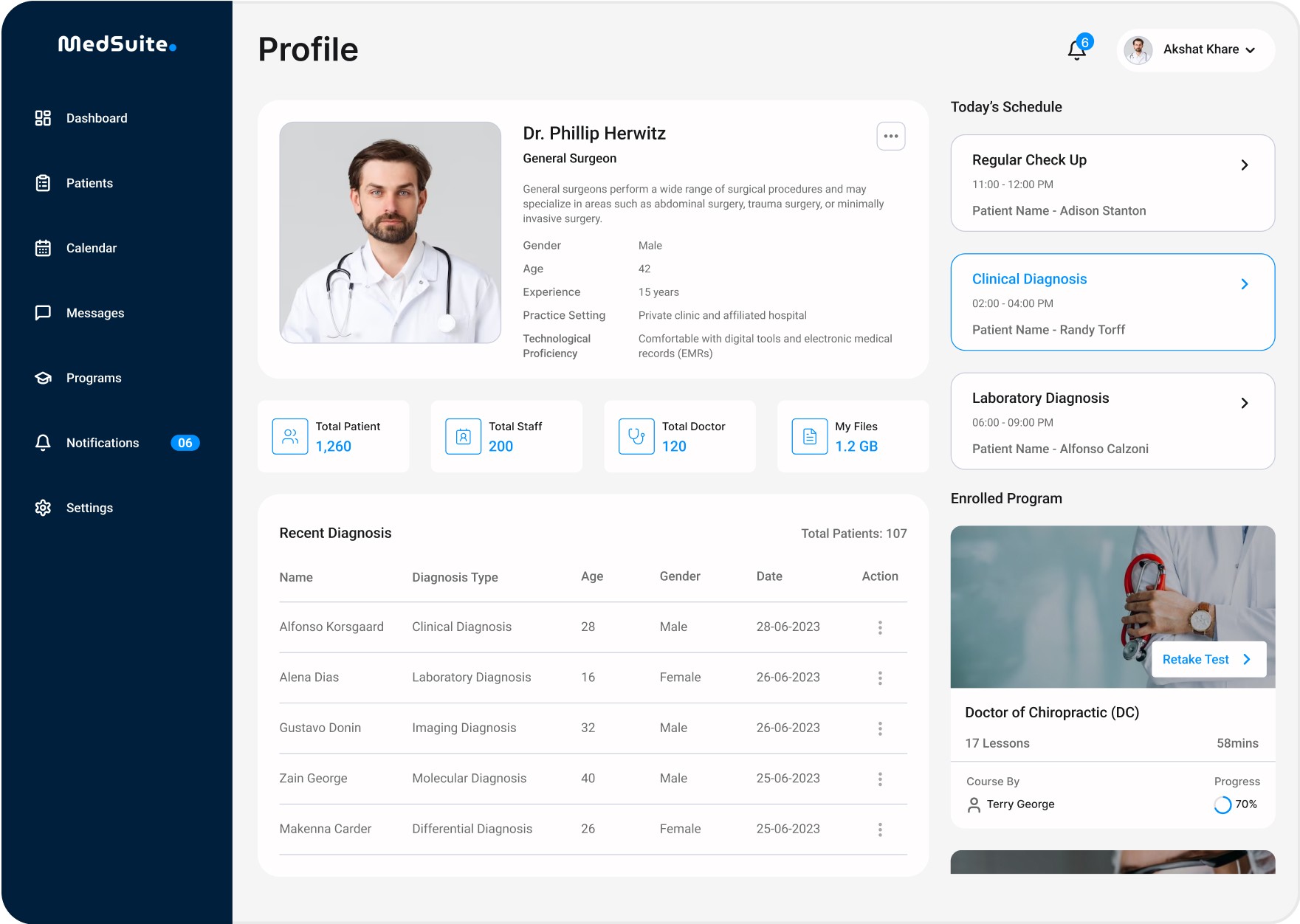
Profile
What’s happening
A dedicated space where users can manage their own details, see diagnoses, and monitor progress.
What Healthcare Professionals & Patients can do here
Update personal or medical information
Review past appointments and diagnosis summaries
See enrolled programs and today's schedule
Goal
To provide a personalized, easily accessible control panel that reinforces ownership and visibility over one’s medical journey.
Learnings & Outcomes
Designing for healthcare means designing for urgency, clarity, and responsibility. Through Medsuite, I learned:
Simplicity is powerful—especially when users are under pressure.
Hierarchical layouts make or break information-heavy dashboards.
Color psychology plays a crucial role in emotionally charged industries like healthcare.
Areas for Future Enhancement
Here’s what we’re considering next:
Role-based Dashboards: Tailoring views for doctors, nurses, and admin staff
Analytics Module: For insights into patient retention, appointment trends, program outcomes
Telehealth Integration: Video consultations natively in the tool
Mobile Responsive Design: Optimizing for tablets or smartphones
Voice Command Support: Especially useful during fast-paced situations
Final Thoughts
Designing Medsuite was more than just creating a product—it was about crafting an ecosystem that empowers medical professionals to do what they do best: care for people. Every interaction, screen, and detail was purposefully designed to reduce cognitive load, save time, and enhance clarity in high-pressure environments.
As designers, our role is not only to make things look good but to solve real problems through empathy and clarity. Medsuite reflects this belief through its intuitive flows, clean visual design, and patient-first experience.
“Design is not just what it looks like and feels like. Design is how it works.”
— Steve Jobs
With Medsuite, we strive to bring calm to the chaos of healthcare—one pixel at a time.
🔗 Want to dive deeper into the UI details?
Check out the full case study on Behance — packed with visuals, flows, and design insights. 👉 Read Now